Is your precious code safe? An easy way to ensure availability of code/repositories.

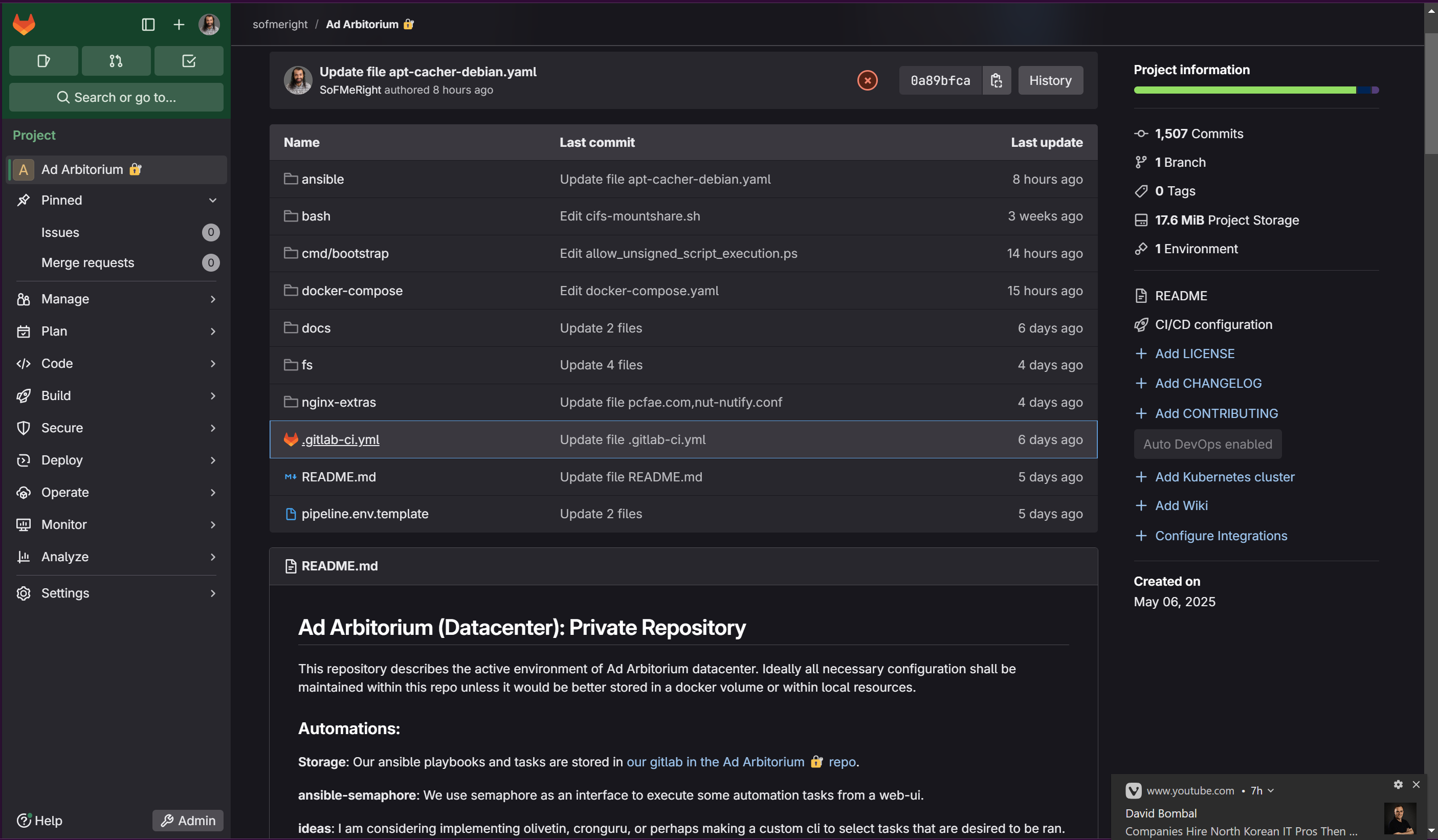
Recently I started learning the practice of GitOps and IAC (Infrastructure as Code), CI/CD (Continuous Integration & Continuous Developement); applying this practice to my homelab in the end was far easier than I ever anticipated. However there is still a cost that it can be tedious and take time to translate the running state/intended state of my homelab to ansible/bash script that can be run as part of a build.
Just for those of you who aren't familiar with GitOps pipelines. The way this works is I have a .gitlab-ci.yml file, an "inventory" file and in my repo I have various configs that I have written ansible and bash scripts to apply. The gitlab-ci file contains a direction of what container image to use to process the bash commands in the script area and then every time the configuration of my lab changes, it runs this script against the inventory file I supply and spiders out into all the code I have written/imported into my WIP pipeline over time.
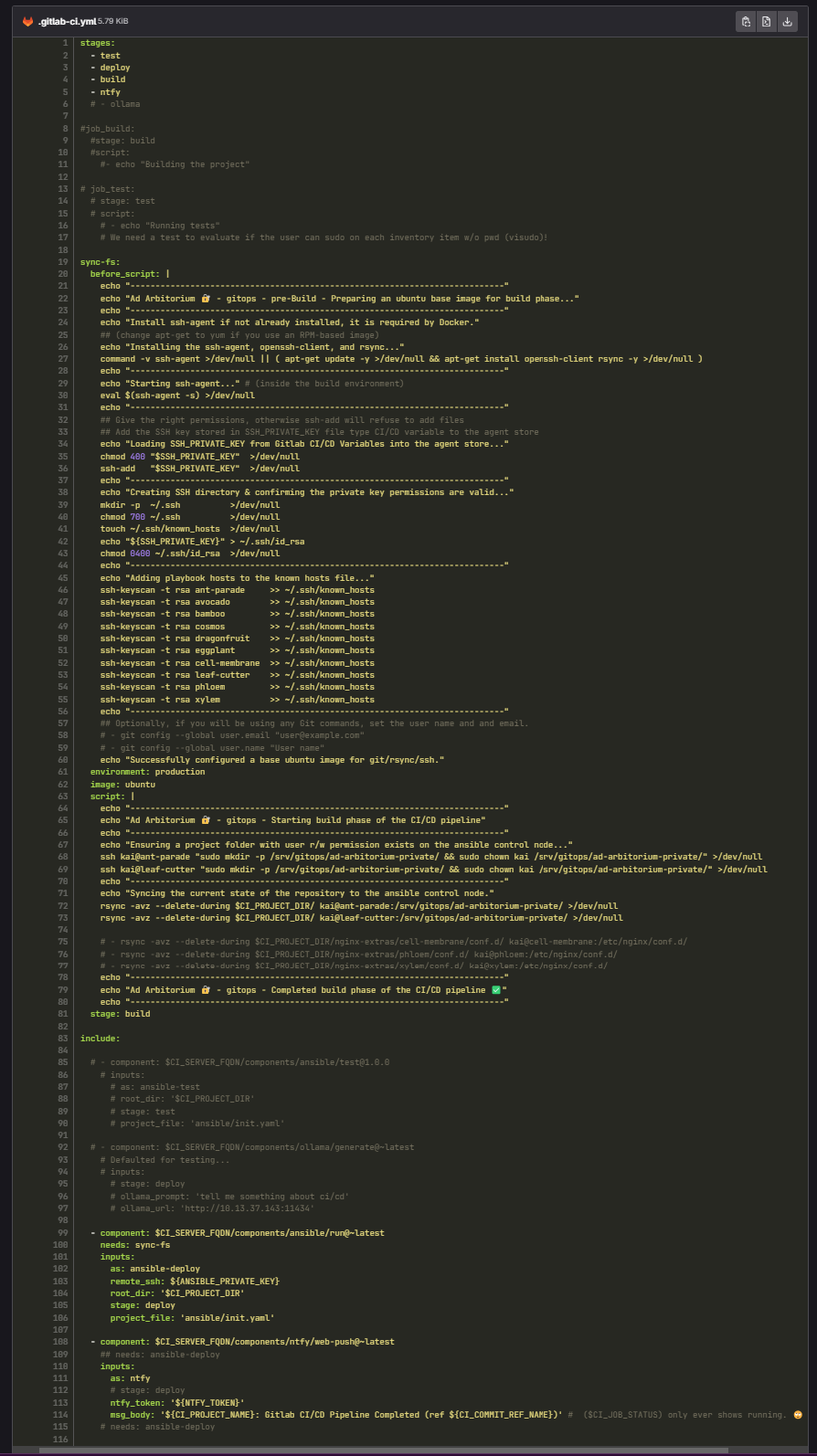
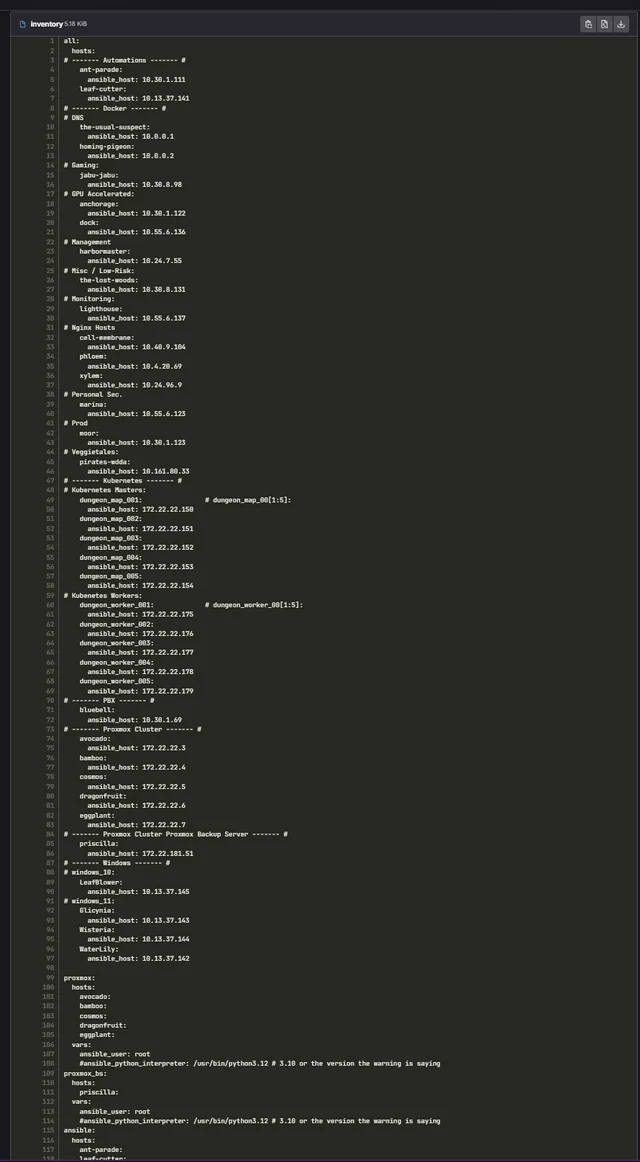
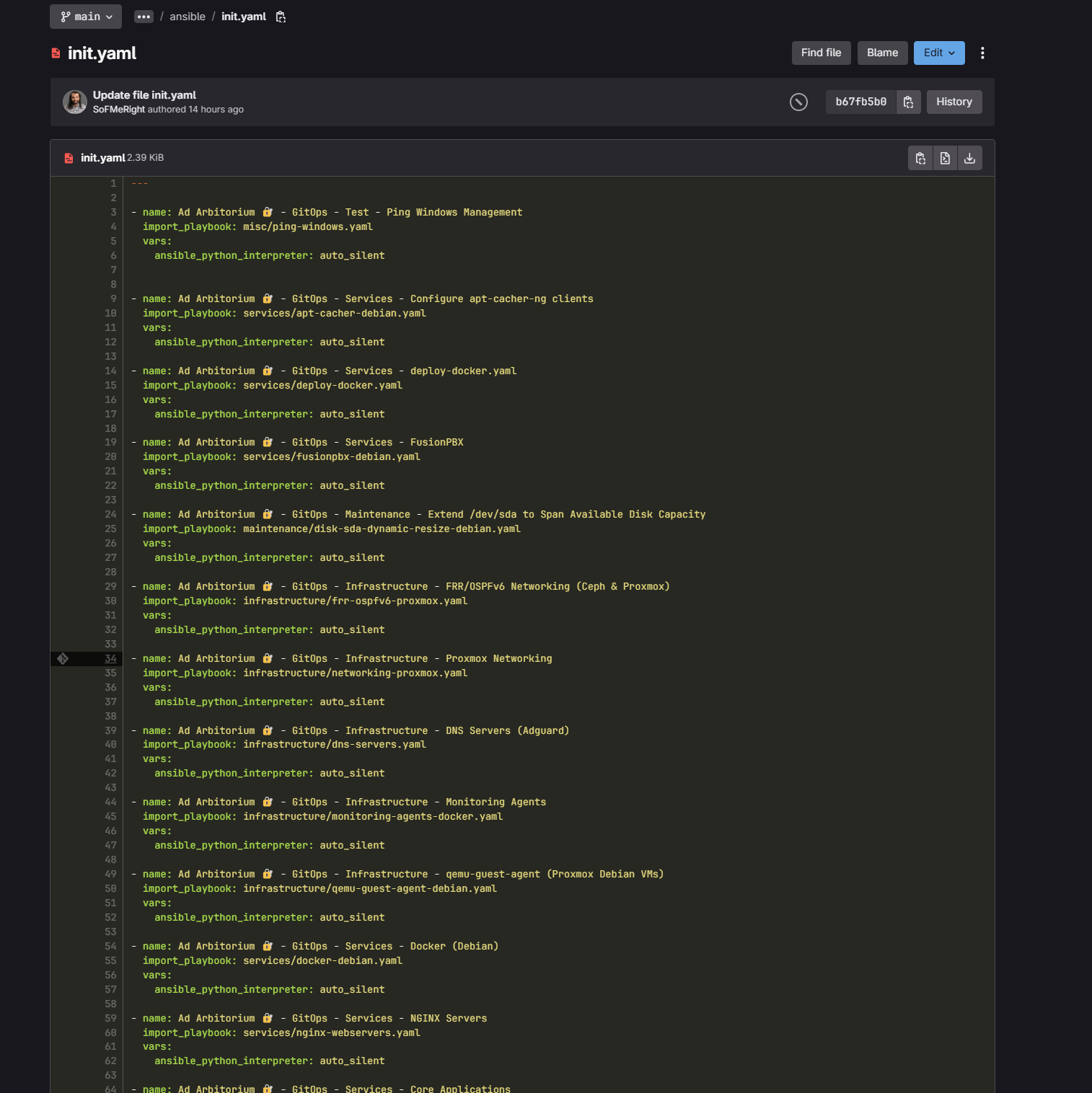
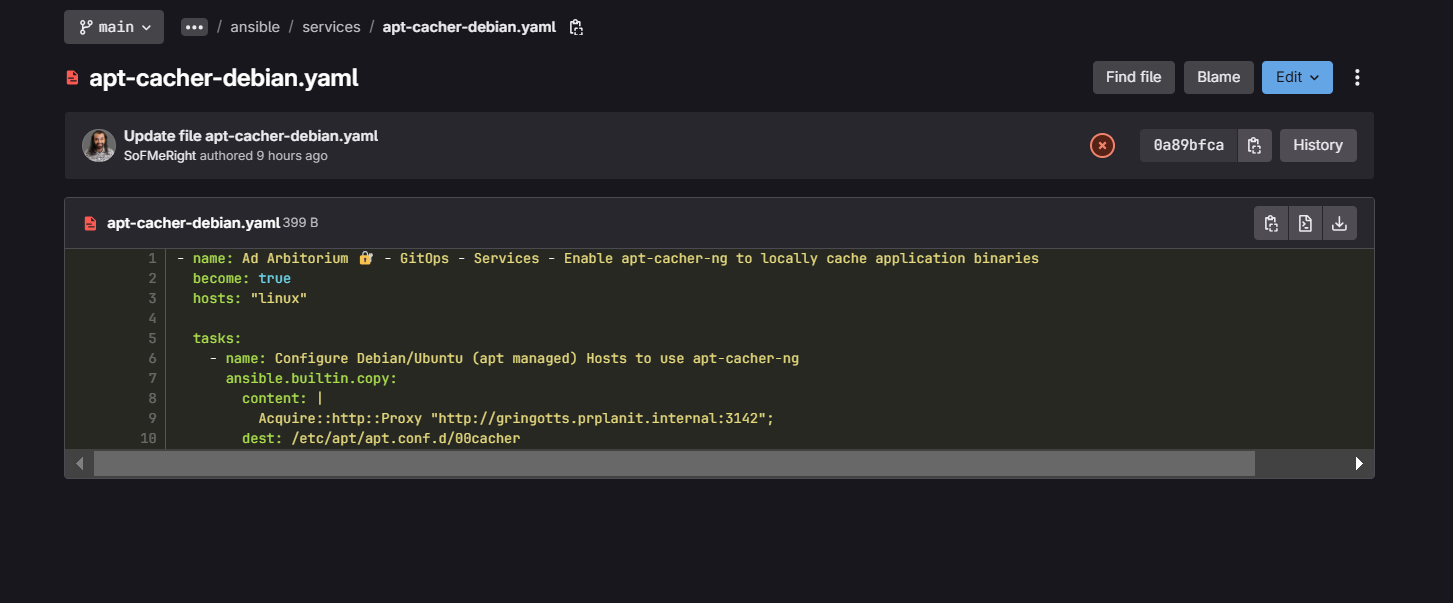
As stated above, this describes how I am primarily using gitlab. My intent is to translate the full active state of my environment to code, if I accomplish this, I could push my config for all these deployments if I wanted/needed to reset my lab all of my deployments would be configured without backups or any of the data from the code.. There's so many other things we might accomplish via this practice besides that, like key/pass rotation or more performant backups that only copy data and no binaries. I have plans to push all of the scripts I have written my entire life to this platform now, just because it is a really easy and intuitive tool to work with! Especially when you start getting the hang of these things. Well when we start to rely on a platform as our #1 go to for code and this code has time and value put into it, I start to worry of the reliability of the platform and want to consider the case that something happens to my Gitlab instance... Will I still be able to access my SUPER important IAC code or will I be fighting to recover that? In asking myself these questions I decided to take steps to ensure the outcome in this hypothetical situation. I added to my Gitlab pipeline some bash lines to copy the important repository to 2 other hosts and also setup a mirror of the most important repositories using gitea (a super lightweight application that has most of the functionality of github). Now I have peace of mind that my code is safe and for once I feel beyond solid that my work is safe! You can even mirror your code to github if you want.
This post is to serve as a simple FYI to anyone who isn't aware that we can do this! 🙏 I wish I thought of this a long time ago! I lost quite a bit of work in my day 🤣
Here is the deployment I used for gitea ⬇️ (It's super easy to deploy!)
To install docker and docker compose:
https://docs.docker.com/engine/install/
https://docs.docker.com/compose/install/linux/
Put it in somewhere like:
sudo nano /opt/docker/gitea/docker-compose.yaml
Insert this text then edit if desired Ctrl+x, then "y" to save and "enter" to exit.
services:
  gitea-server:
    depends_on:
      - gitea-postgres
    environment:
      - GITEA__database__DB_TYPE=postgres
      - GITEA__database__HOST=gitea-postgres:5432
      - GITEA__database__NAME=gitea
      - GITEA__database__USER=gitea
      - GITEA__database__PASSWD=$POSTGRES_PASS
    image: docker.io/gitea/gitea:1.23.1-rootless
    ports:
      - "7843:3000" # This is the Web-UI, change 7843 accordingly.
      - "2222:2222" # This is the ssh port. Change it accordingly.
    restart: always
    userns_mode: keep-id:uid=1000,gid=1000
    volumes:
      - /opt/docker/gitea/data:/var/lib/gitea
      - /opt/docker/gitea/config:/etc/gitea
      - /etc/timezone:/etc/timezone:ro
      - /etc/localtime:/etc/localtime:ro
    # logging: &logging
      # driver: "loki"
      # options:
        # loki-batch-size: "400"
        # loki-url: "http://monitoring:3100/loki/api/v1/push"
        # max-size: "10m"
        # max-file: "3"
        # mode: "non-blocking"
        # loki-retries: "2"
        # loki-max-backoff: "800ms"
        # loki-timeout: "1s"

  gitea-postgres:
    #labels: *logging
    container_name: gitea-postgres
    environment:
      - POSTGRES_USER=gitea
      - POSTGRES_PASSWORD=$POSTGRES_PASS
      - POSTGRES_DB=gitea
    image: docker.io/library/postgres:14
    restart: always
    volumes:
      - /opt/docker/gitea/postgres:/var/lib/postgresql/data
Next create the .env and set a postgres password:
sudo nano /opt/docker/gitea/.env
Insert this text then edit if desired Ctrl+x, then "y" to save and "enter" to exit.
POSTGRES_PASS=<a password string>

GITEA__database__PASSWD=$POSTGRES_PASS
POSTGRES_PASSWORD=$POSTGRES_PASS
Now we can initiate the pull sequence to activate our gitea deployment:
cd /opt/docker/gitea
docker compose up -d
If you used my deployment without changing the ports gitea will now be available at the host you deployed it to via http://<ip/hostname>:7843
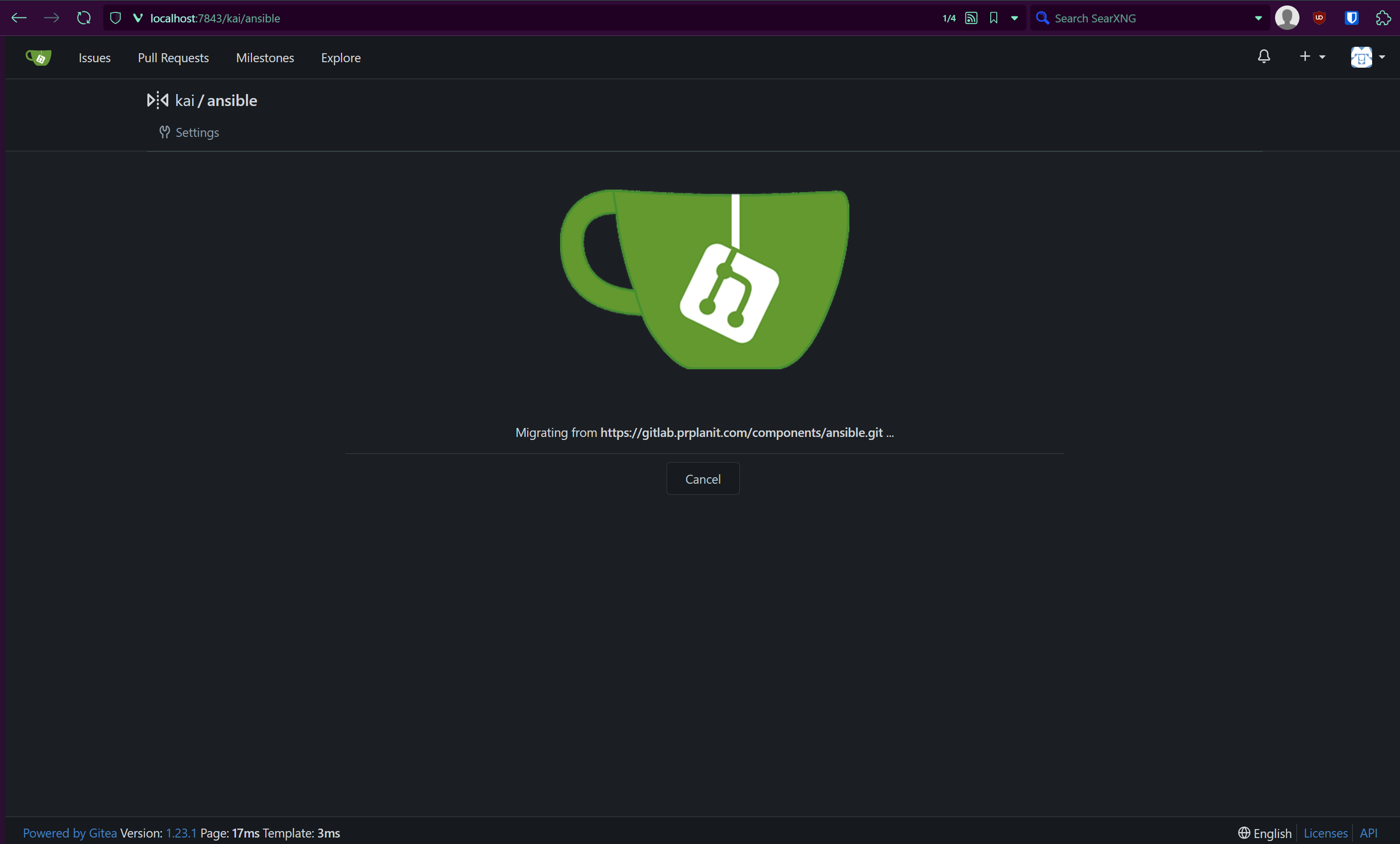
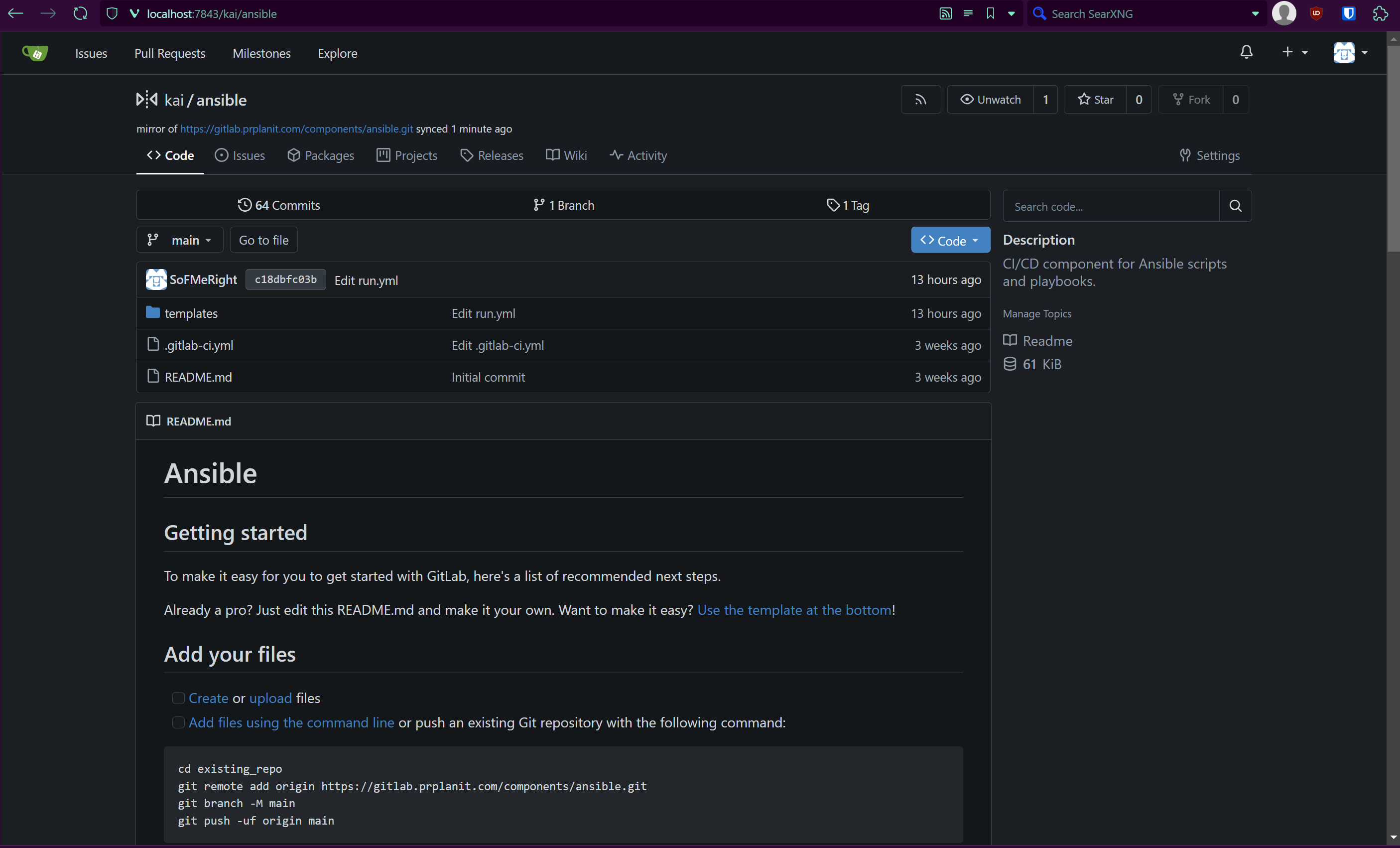
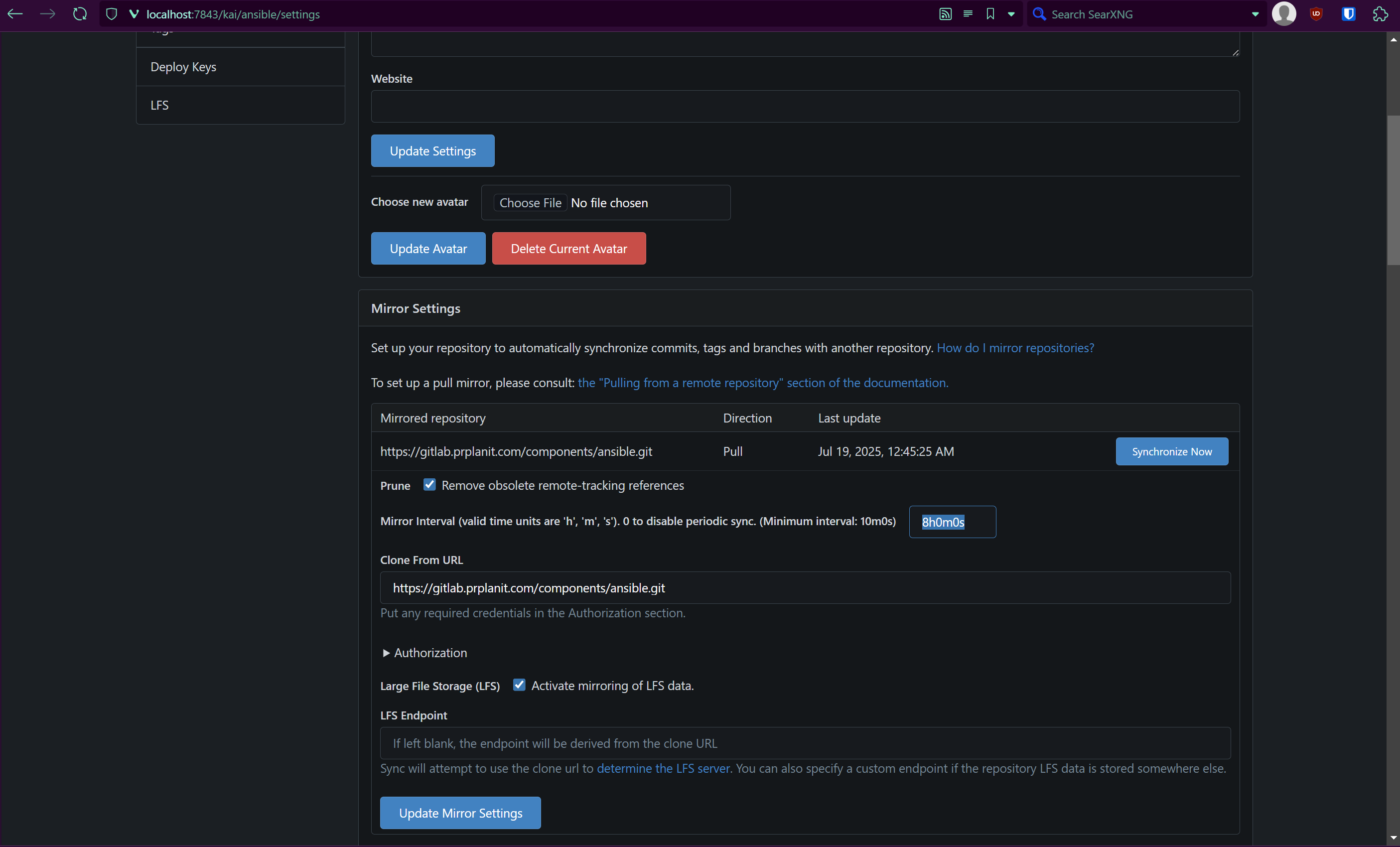
Now it is super easy to make a mirror in gitea:
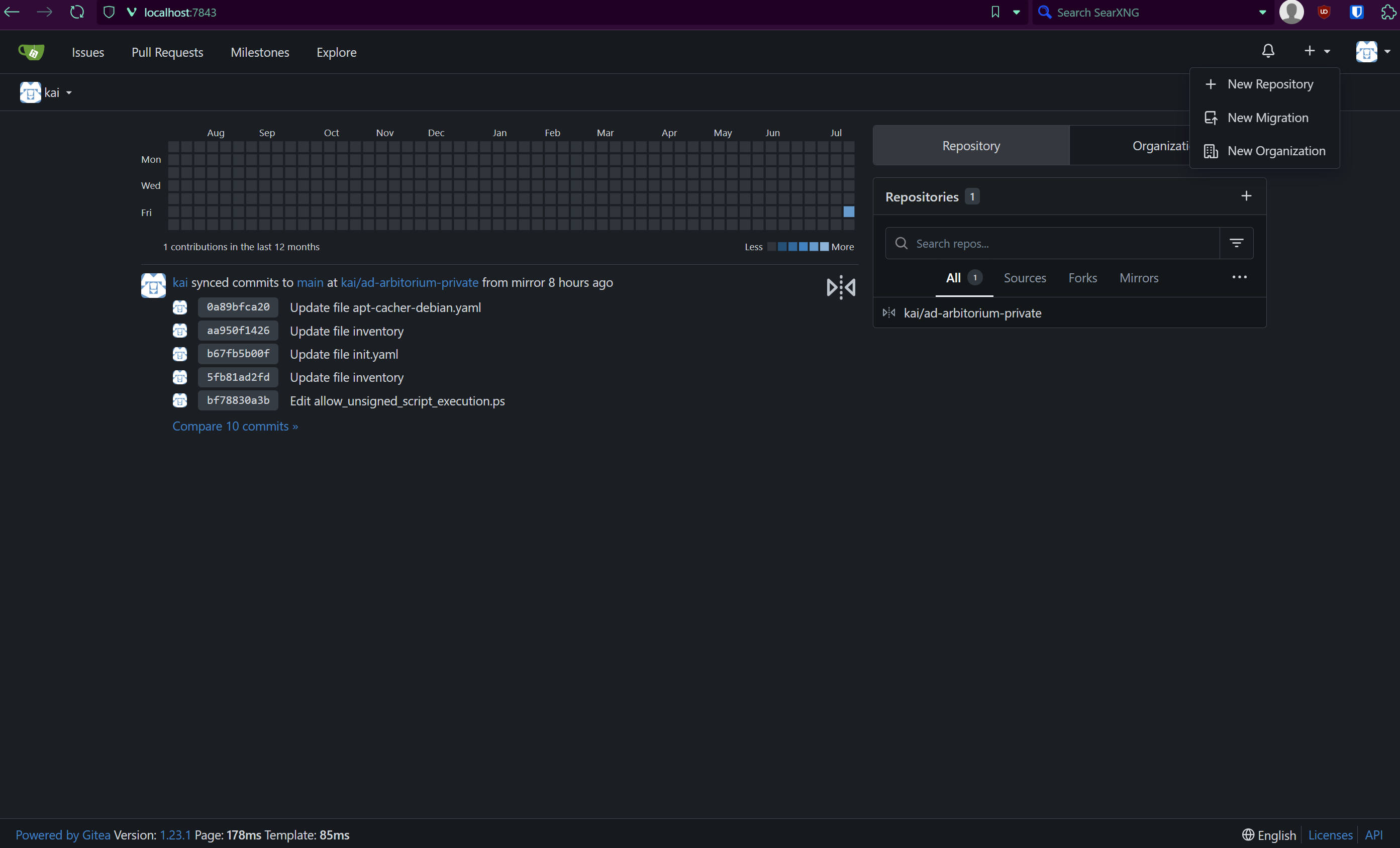
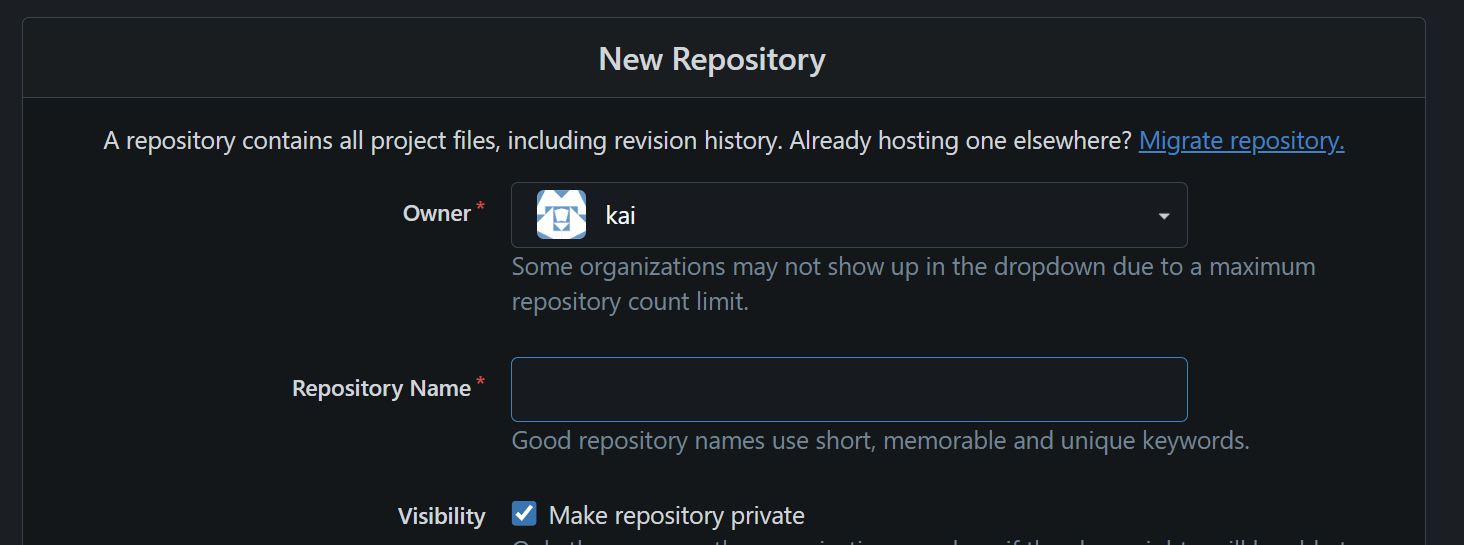
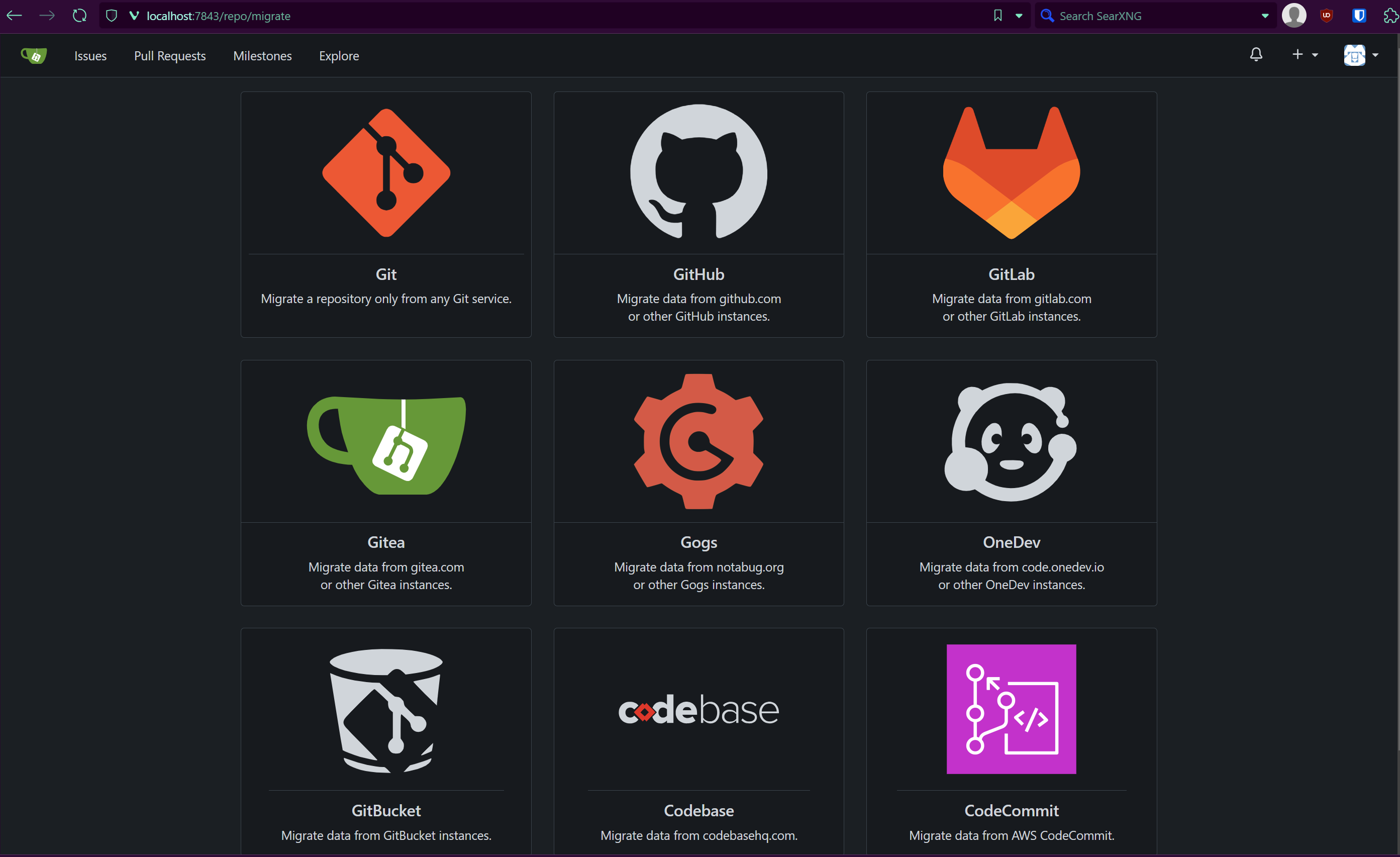
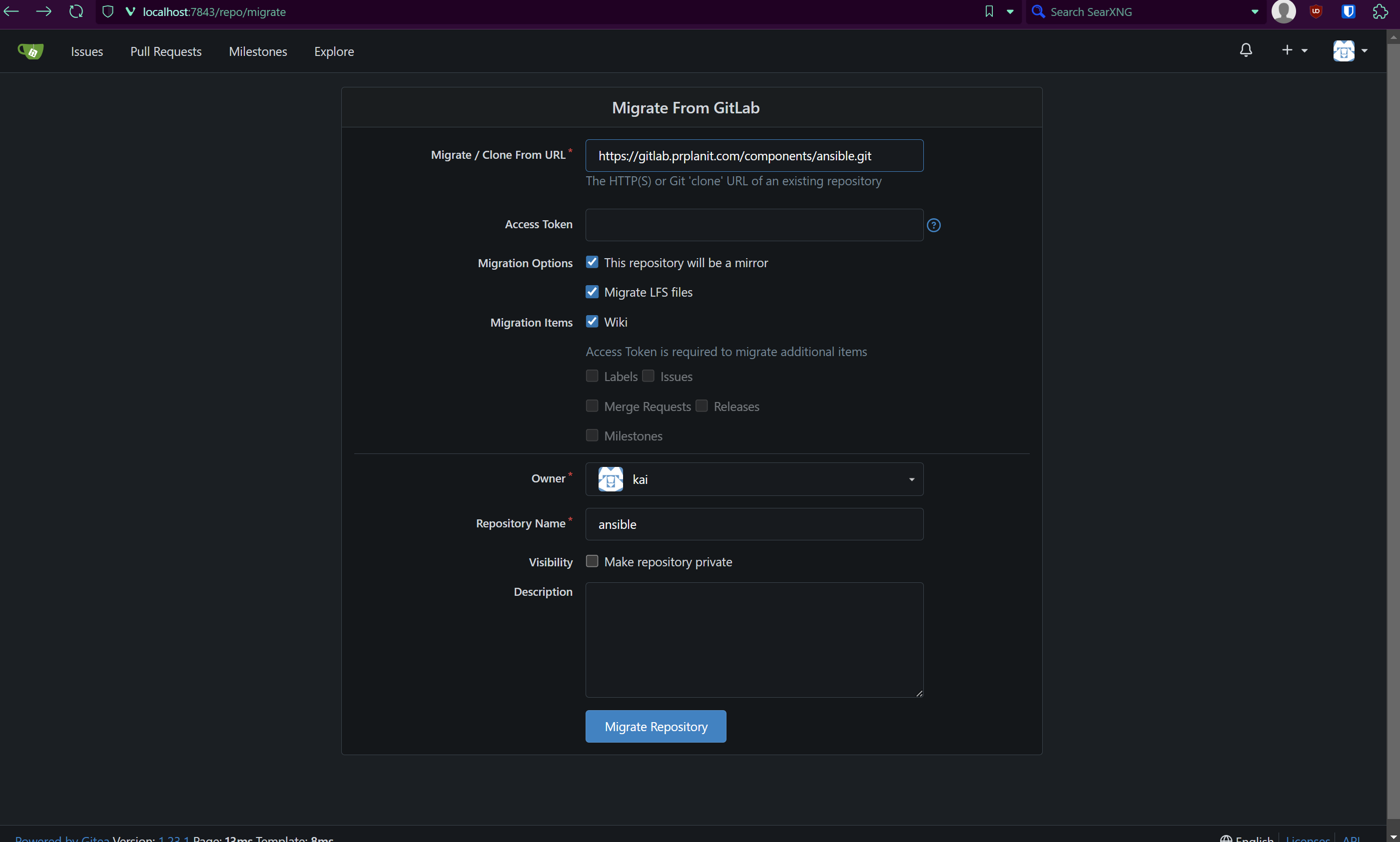
Make sure to add the access token if the repo you are mirroring is not public or has portions that are not publicly available that you wish to be retained in the mirror.
Resources:
This is the best guide I have found on how Gitlab CI/CD works. It is most of the motivation I had to start working on my IAC stuff. It has been going splendid. I recently worked out how I am going to automate Windows, which is very nice!
This is the latest state of the Dockerfile that have edited to build my ansible Docker container image. This image is used to run my main ansible workflow that is the heart of my CI/CD pipeline. I struggled figuring out how to run winrm inside a docker container and really wanted to automate Windows machines, so I preservered. Just a hint here, in case you go/are going that route... I did not find a really easy guide on how to set this up anywhere. I put it together through much search and investigation.
FROM python:3.13.5-alpine3.22
WORKDIR /app
ADD . /app
ENV ANSIBLE_HOST_KEY_CHECKING 'false'
RUN apk add --no-cache openssh-client rsync
RUN pip3 install --upgrade pip
RUN pip3 install requests ansible-core==2.18.6 ansible-lint==25.6.1 pywinrm
RUN ansible-galaxy collection install ansible.posix
RUN ansible-galaxy collection install ansible.windows
RUN ansible-galaxy collection install community.docker
CMD [ "ansible-playbook", "--version" ]
Here is my gitlab deployment "docker-compose.yaml just for reference, I won't be giving a throughrough walkthrough but I thought I'd share since I already dumped a lot of other git info!
services:
    gitlab:
        image: 'gitlab/gitlab-ce:latest'
        container_name: gitlab
        restart: always
        hostname: 'git.domain.com'
        environment:
            GITLAB_OMNIBUS_CONFIG: |
                external_url 'https://git.domain.com'
                gitlab_rails['gitlab_shell_ssh_port'] = 22
                letsencrypt['enabled'] = false
                nginx['enable'] = true
                nginx['listen_port'] = 8017
                nginx['listen_https'] = false
        ports:
            - '8017:8017'
            - '2424:22'
        volumes:
            - '/opt/docker/gitlab/config:/etc/gitlab'
            - '/opt/docker/gitlab/logs:/var/log/gitlab'
            - '/opt/docker/gitlab/data:/var/opt/gitlab'
        secrets:
          - gitlab_root_password
    # logging: &logging
      # driver: "loki"
      # options:
        # loki-batch-size: "400"
        # loki-url: "http://monitoring:3100/loki/api/v1/push"
        # max-size: "10m"
        # max-file: "3"
        # mode: "non-blocking"
        # loki-retries: "2"
        # loki-max-backoff: "800ms"
        # loki-timeout: "1s"
secrets:
  gitlab_root_password:
    file: /opt/docker/gitlab/root_password.txt
As always, I hope that you found something in this walk-thru useful or interesting. Let me know if there is anything you are wanting to explore further or if I left you with any additional questions! Otherwise I will be signing off now and wish you an amazing day today! <3
Warm regards,
SoFMeRight